How it works
From the job site to a signed estimate
Four steps, with real screens from the app. The sample job is a guest bathroom remodel for a client named John Smith.
1 Step one
Describe the job
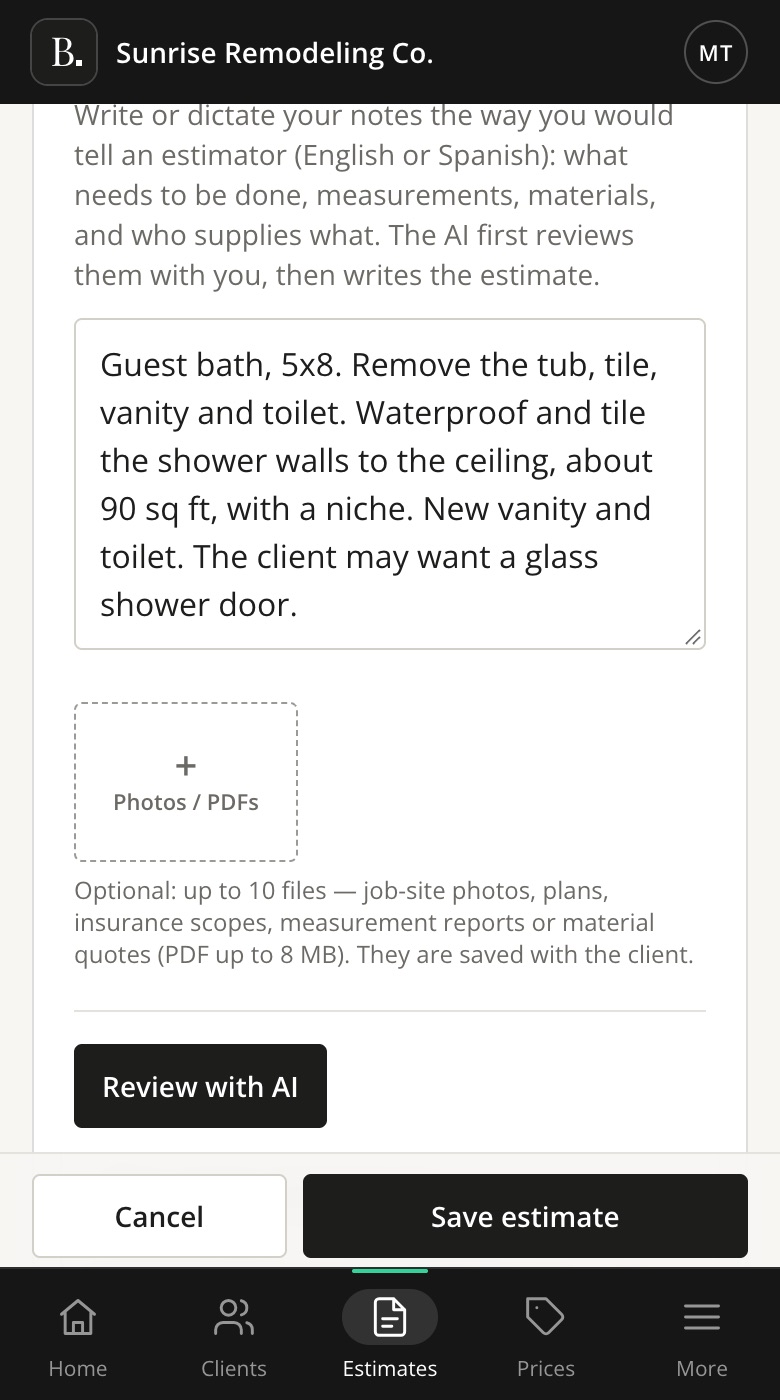
On the job site or back at the office, open New estimate and pick the client. Then type or dictate your notes the way you would explain the job to an estimator: what needs to be done, the sizes, the materials, and who supplies what.
- English or Spanish both work.
- Add up to 10 photos or PDFs, like plans, an insurance scope or a material quote.
- Or start from a past estimate and change what is different.
2 Step two
Answer a few questions
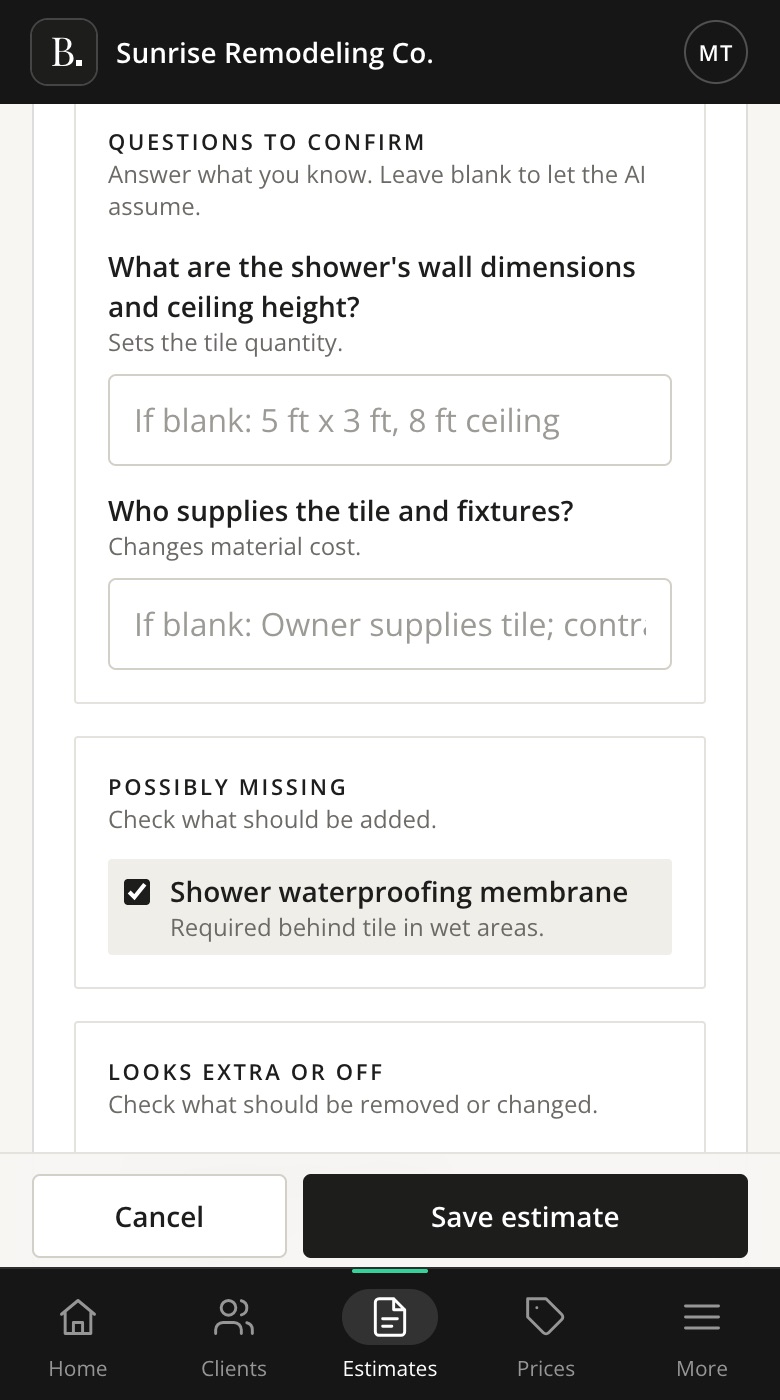
Tap Review with AI. Bidzo tells you what it understood, asks the questions that change the price, and points out items you may have missed. Answer what you know and tick what to include.
- Leave a question blank, and Bidzo uses the assumption it shows you.
- It suggests exclusions that protect you, like moving plumbing lines.
3 Step three
Check the estimate and send it
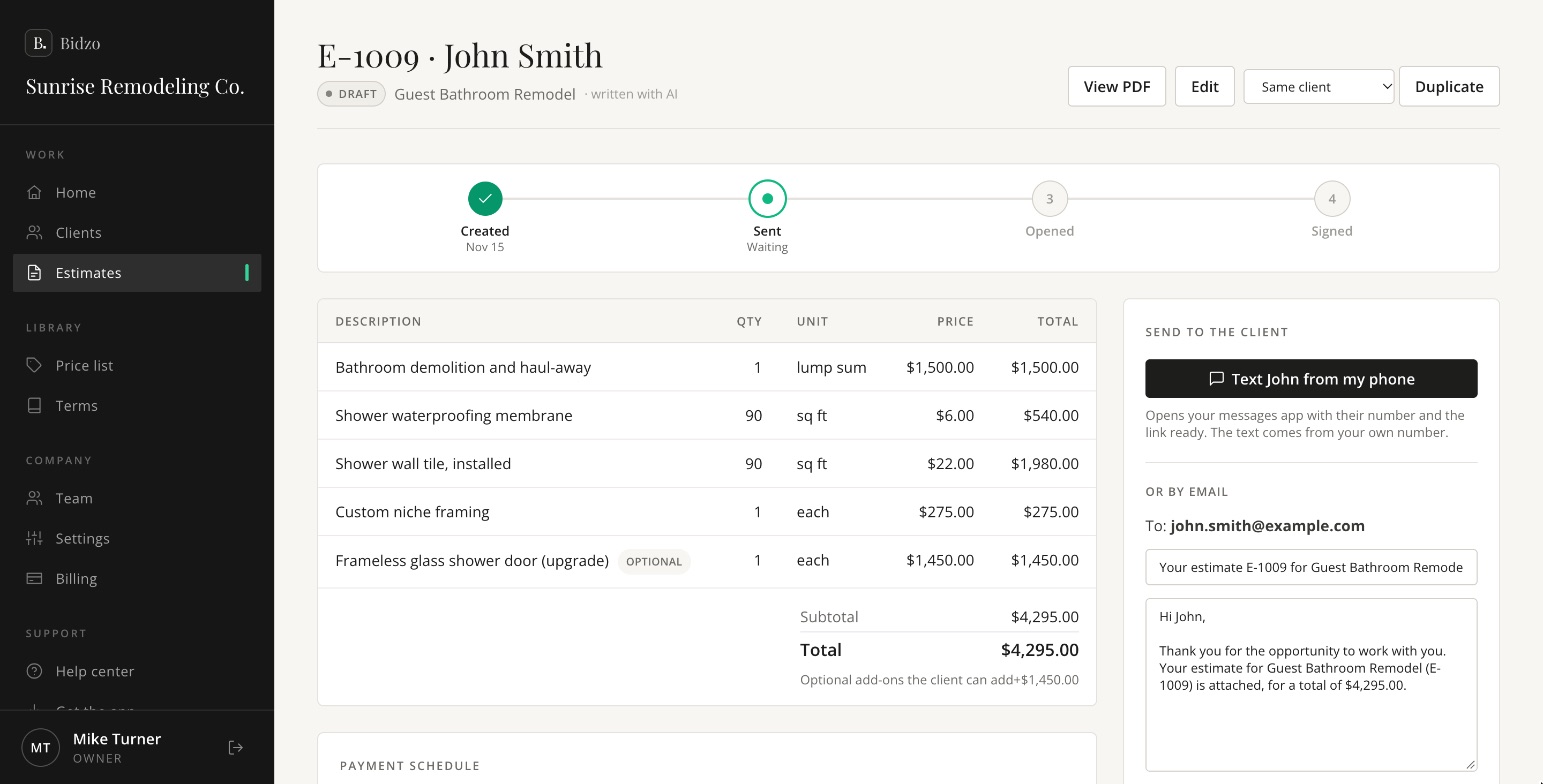
Bidzo writes the line items with your prices, the payment schedule and the terms. Change anything you want. Then text the link from your own phone, or email it with the PDF attached.
- Mark a line as optional, and your client can choose to add it.
- The email to your client is already written. You can change it.
4 Step four
Your client signs online
Your client opens the link on any phone or computer, picks any optional add-ons, and signs. You get an email right away, and the estimate shows as signed.
✔ John Smith SIGNED estimate E-1009 ($4,295.00)
The email you get when a client signs.
+ And after
Follow up at the right time
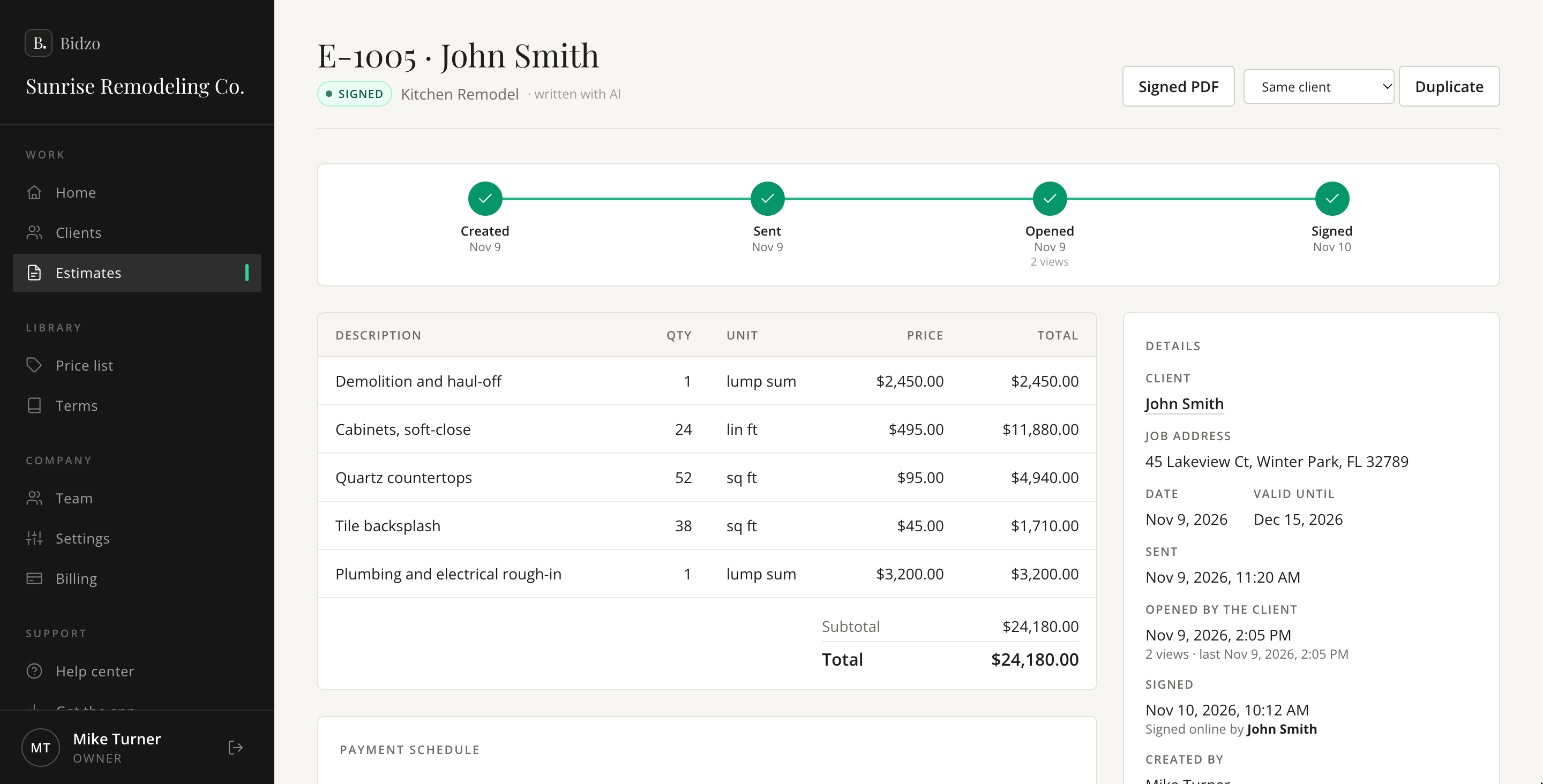
If a client opens the estimate but doesn’t sign, it shows up on your home screen under Needs your attention. Bidzo also emails your client a reminder after 3, 7 and 14 days.
- See when each estimate was sent, opened and signed.
- Download the signed PDF at any time. It’s saved with the client.
Write your first estimate today
Try Bidzo free for 15 days. Cancel before day 15 and you pay nothing.