Bidzo Start free

Features

Everything Bidzo does

Every picture on this page is a real screen from the Bidzo app, filled in with sample jobs.

AI estimates

Describe the job. Bidzo writes the estimate.

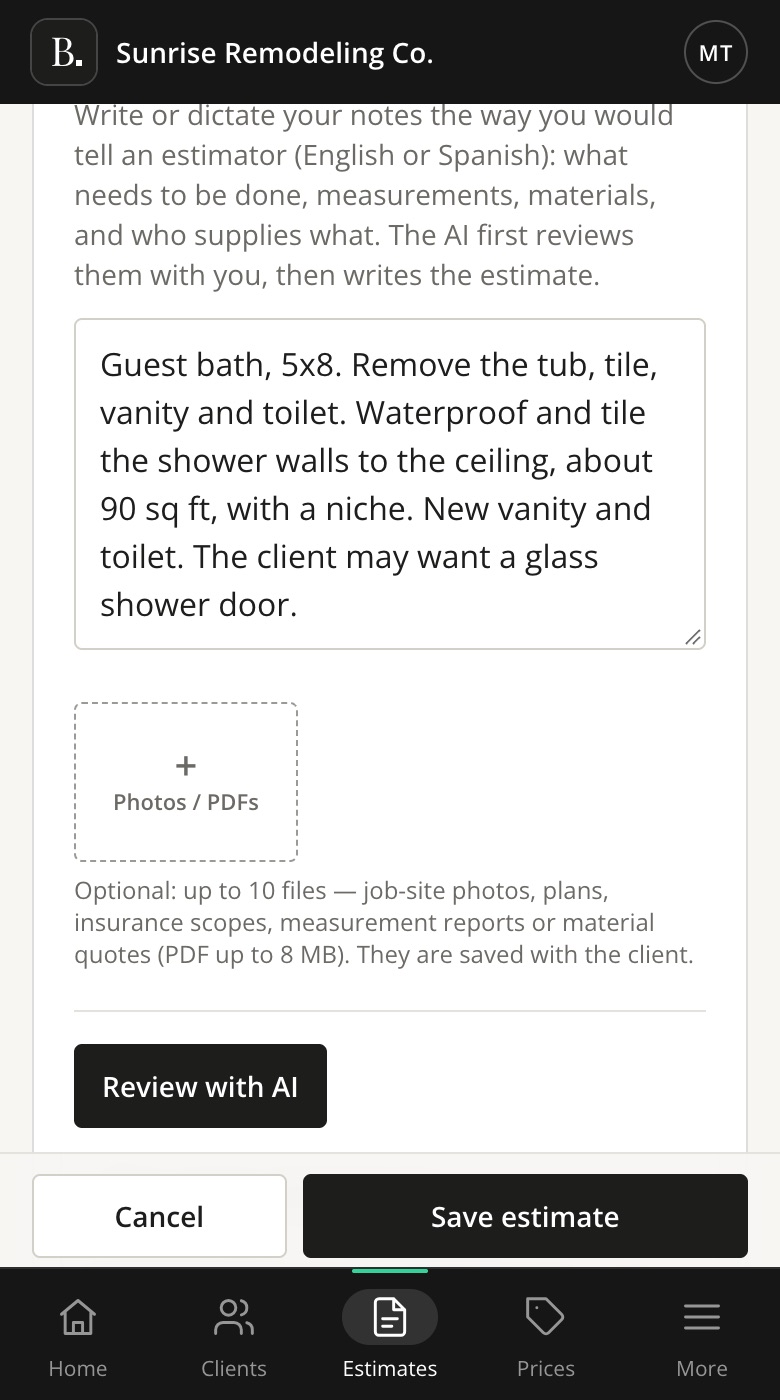
Write or dictate your notes the way you would explain the job to an estimator: the work, the sizes, the materials, and who supplies what. Before it writes anything, Bidzo shows you what it understood.
  • Write your notes in English or Spanish. The estimate comes out in English.
  • Add up to 10 photos, plans, insurance scopes or material quotes.
  • Start from a past estimate to reuse its scope, lines and terms.
The New estimate screen on a phone, with notes for a guest bathroom remodel typed in and a Review with AI button.

AI review

It asks before it guesses

When something is not clear, Bidzo asks you. It also lists items that may be missing, items that may not belong, and exclusions that protect you. You decide what goes into the estimate.
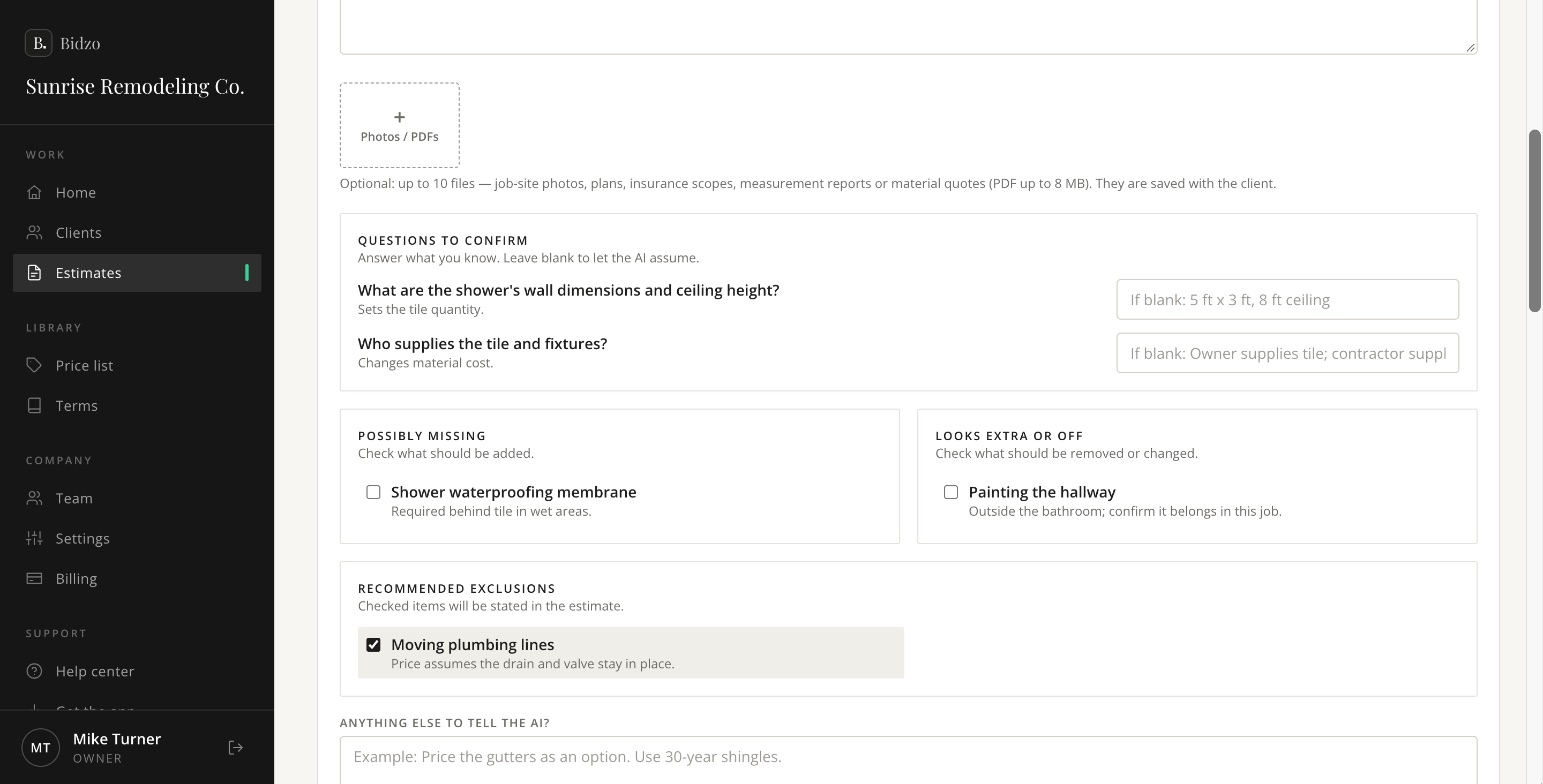
  • Only the questions that change the price, like sizes or who supplies the materials.
  • Leave a question blank, and Bidzo uses the assumption it shows you.
  • Rewriting the same estimate doesn’t count toward your monthly AI limit.
Bidzo's review screen: questions to confirm, a possibly missing shower waterproofing membrane, a possibly extra item, and a recommended exclusion for moving plumbing lines.
Questions to confirm, possibly missing items, and recommended exclusions.

Prices and terms

Your prices and your terms

Bidzo prices every line from your own price list. Before you send, you can change any line, quantity or price.
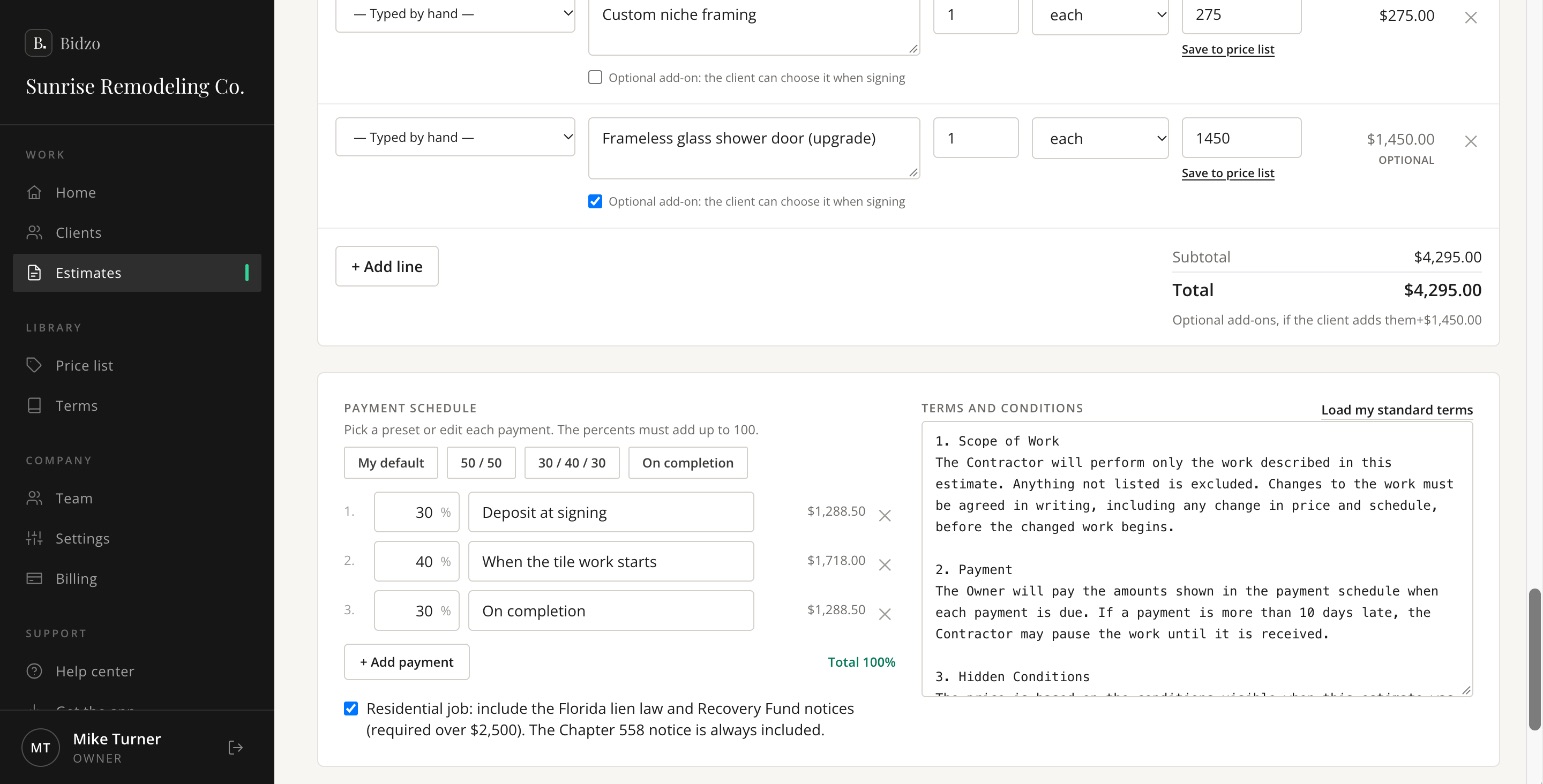
  • Import your price list from Excel or Google Sheets, saved as a CSV file.
  • Fix a price on an estimate and tap Save to price list. The AI uses it next time.
  • Payment schedules like 50/50 or 30/40/30, or your own.
  • Your standard terms, plus the Florida lien law, Recovery Fund and Chapter 558 notices when you need them.
Editing an estimate in Bidzo: line items with Save to price list links, an optional glass shower door, a 30/40/30 payment schedule, and the terms and conditions.
Every line, payment and term can be changed before you send.

Sending

Send it from your own phone

Text the estimate link from your own number, so your client sees a number they know. Or send it by email with the PDF attached.
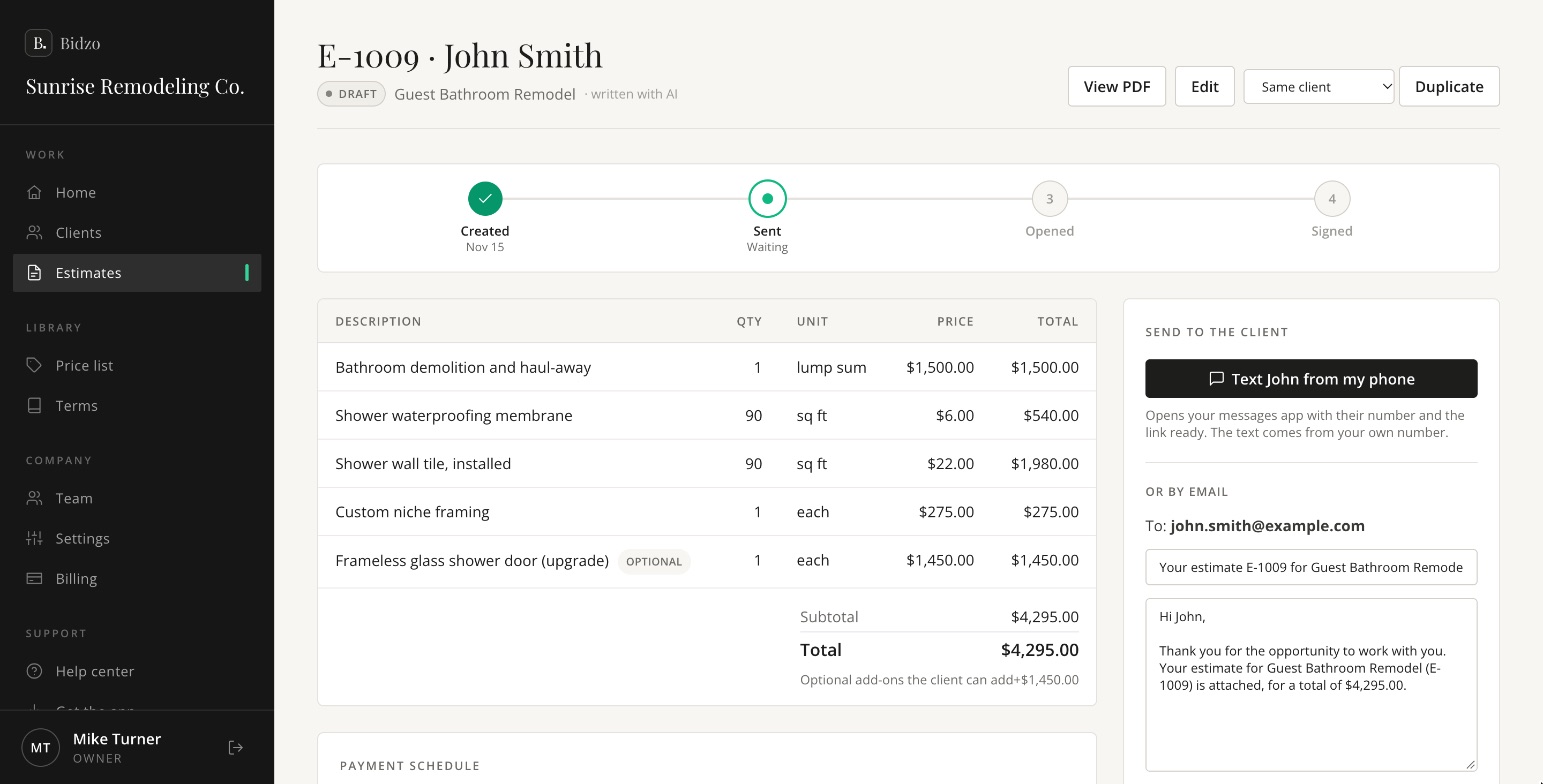
  • Text, WhatsApp, email, or copy the link.
  • The email is written for you, and you can change it.
  • Bidzo emails your client a reminder after 3, 7 and 14 days, until they sign. You can change the days or turn reminders off.
Estimate E-1009 for John Smith, ready to send: the line items, a total of $4,295.00, a Text John from my phone button, and an email that is already written.
Estimate E-1009 for John Smith, ready to send.

Signing

Your client signs on their phone

No app, no account and no printing. Your client opens a private link and signs it there.
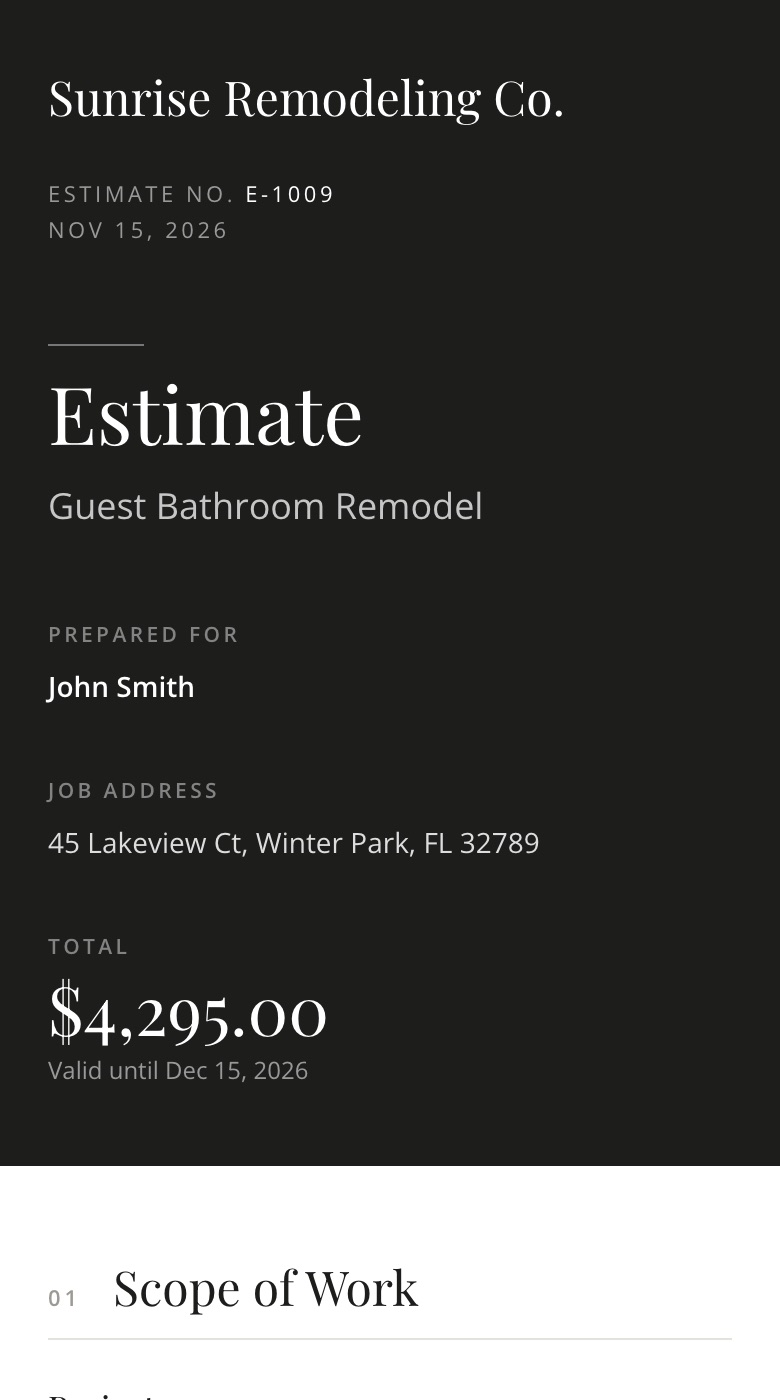
The estimate as the client sees it on a phone: Sunrise Remodeling Co., Guest Bathroom Remodel, prepared for John Smith, total $4,295.00.
1. The estimate
Your logo, the scope, the price, the payments and the terms.
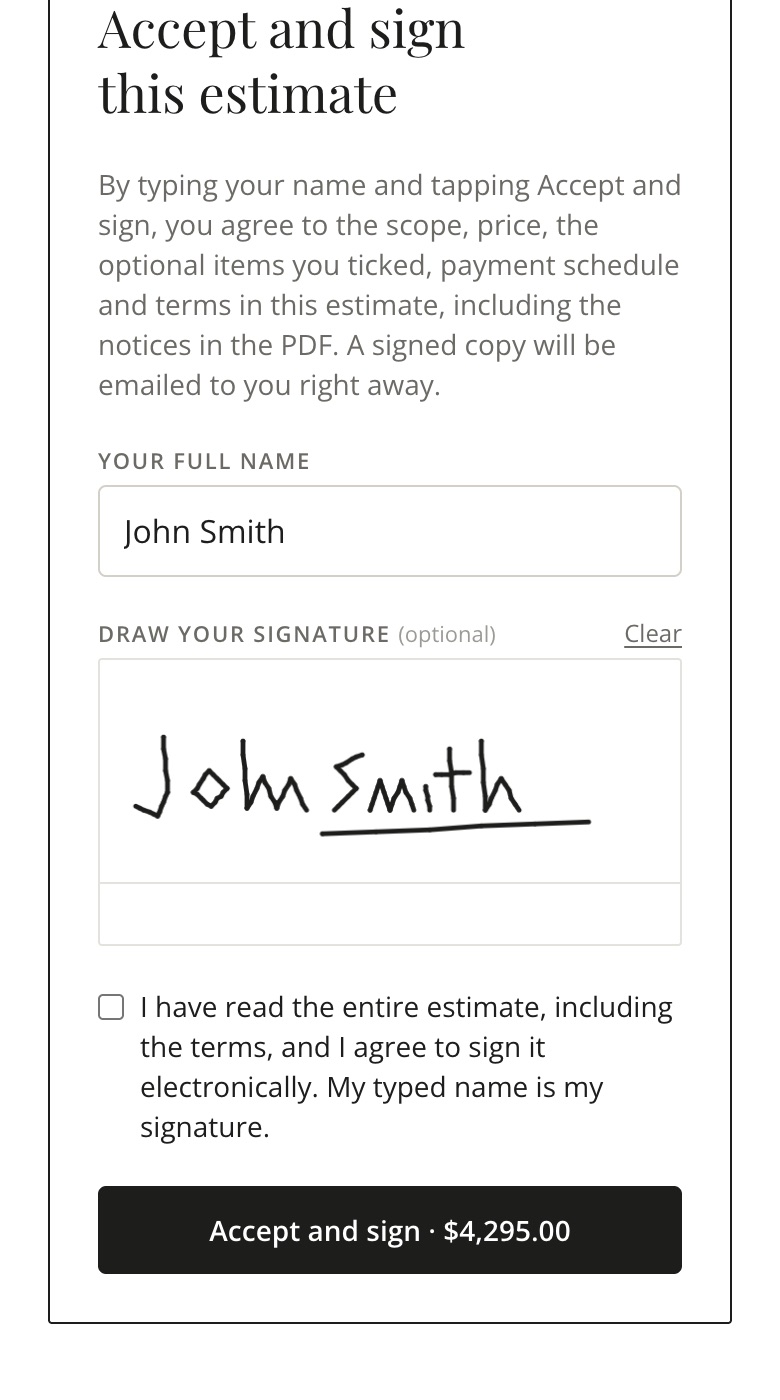
The signing form on a phone: John Smith typed as the name, a signature drawn with a finger, and an Accept and sign button.
2. Sign
Pick optional add-ons, type a name and draw a signature.
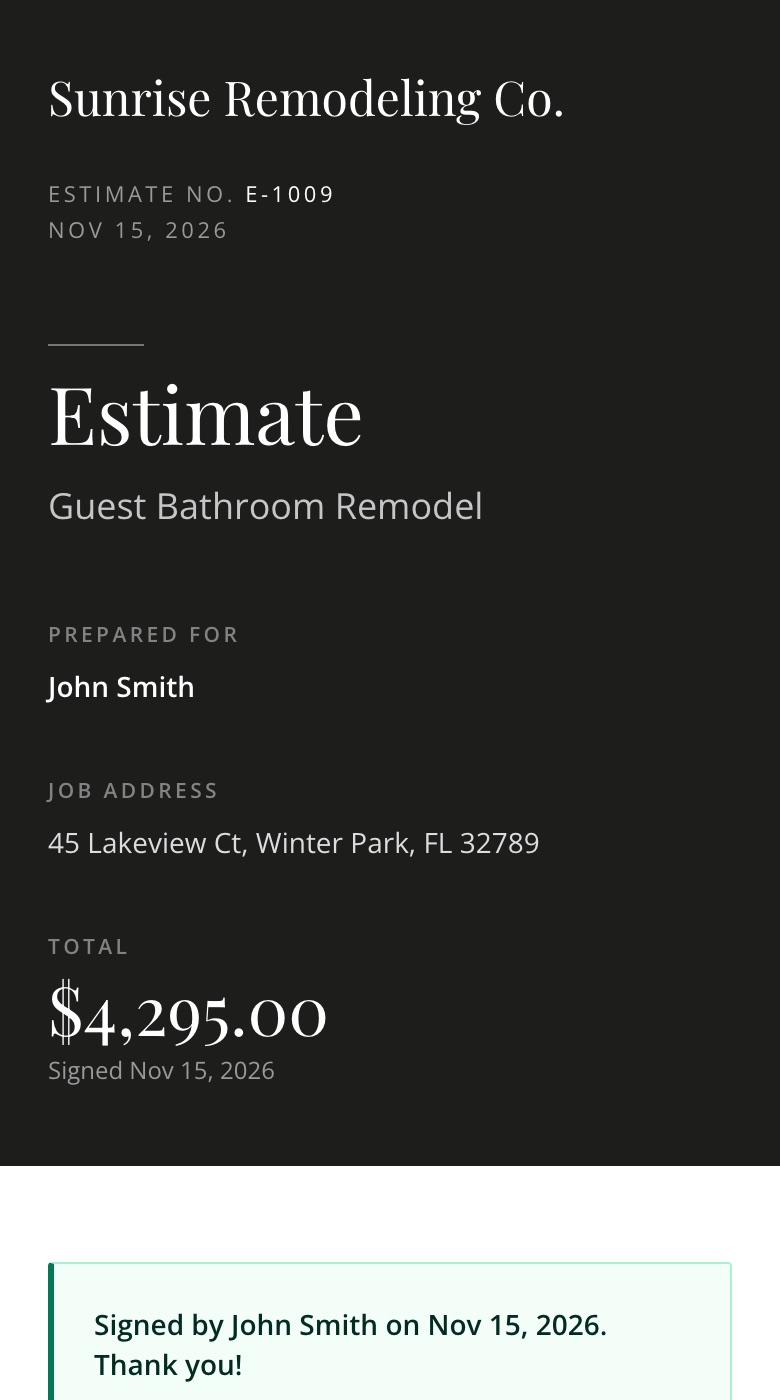
The estimate after signing, with the message: Signed by John Smith on Nov 15, 2026. Thank you!
3. Done
You and your client both get the signed PDF by email.

Questions or changesYour client can write to you from the estimate page, and the message comes straight to you.

A clear recordBidzo saves the name, the signature, the date and time, and a fingerprint of the signed PDF, so any later change would show.

Locked when signedA signed estimate can’t be edited. It’s saved with the client.

Tracking

Know where every estimate stands

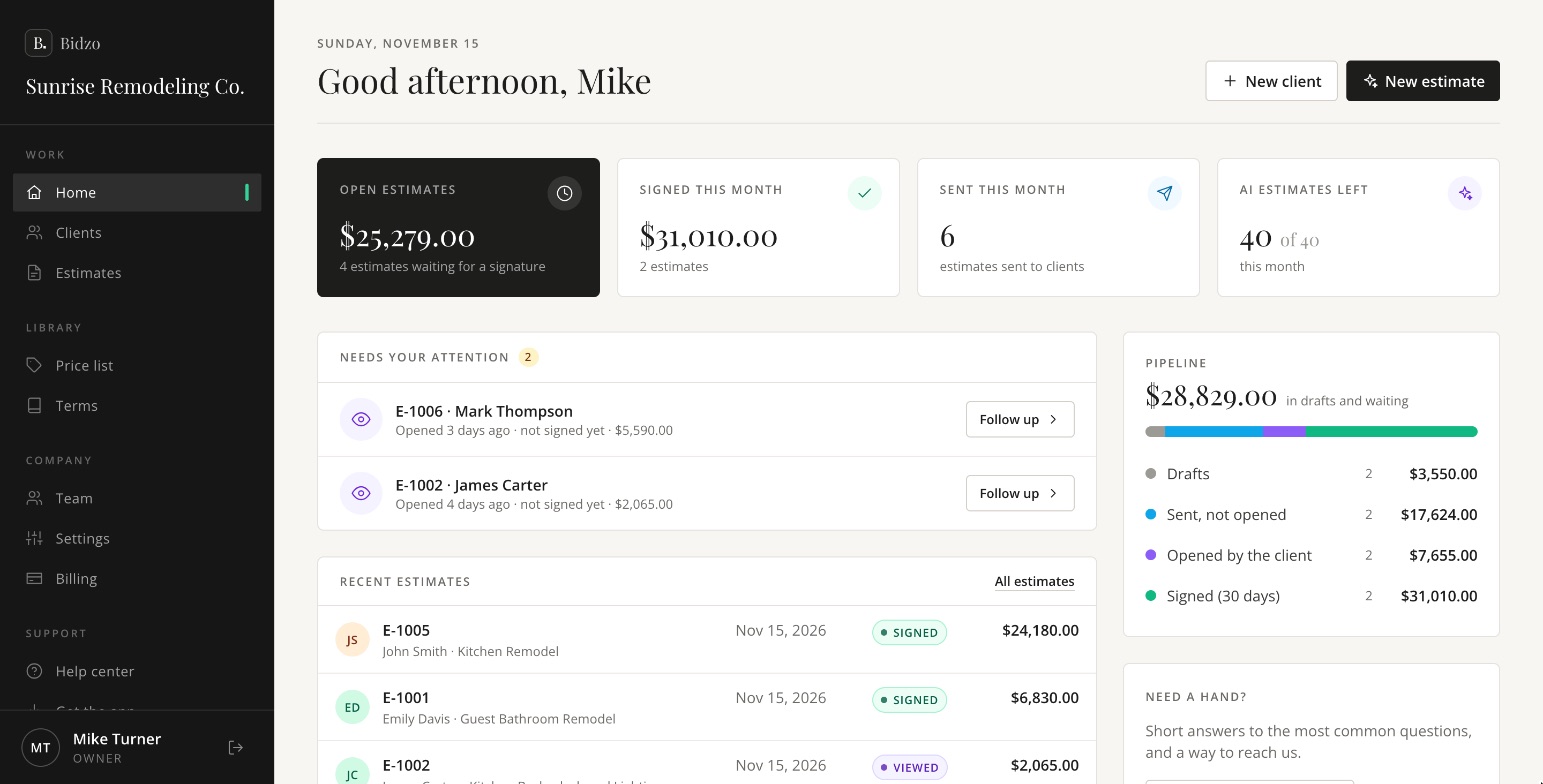
Your home screen shows your open estimates, what was signed this month, and who needs a call back.
  • An email when a client opens an estimate, and another when they sign it.
  • See when each estimate was sent, opened and signed, and how many times it was viewed.
  • Filter your estimates by draft, waiting, opened and signed.
The Bidzo home screen for Sunrise Remodeling Co.: $25,279 in open estimates, $31,010 signed this month, two estimates that need a follow-up, and recent estimates for John Smith and Emily Davis.
The home screen: what is open, what is signed, and who to follow up with.

On your phone

Works on your phone and your computer

Bidzo runs in the web browser on iPhone, Android, Mac and PC, with the same account everywhere. Add it to your phone’s home screen and it opens like any other app.

How to add it to your phone
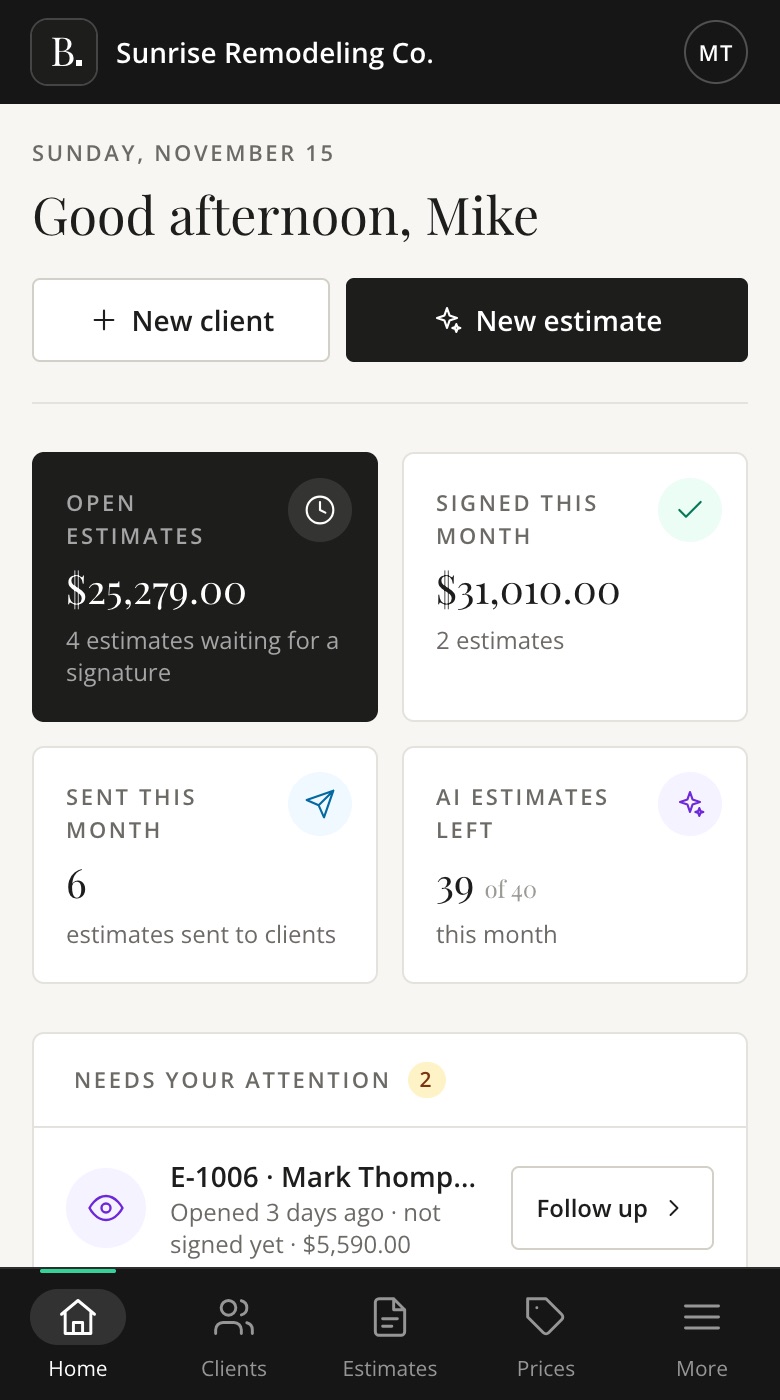
The Bidzo home screen on a phone: Good afternoon, Mike, with open estimates and estimates signed this month.
Home
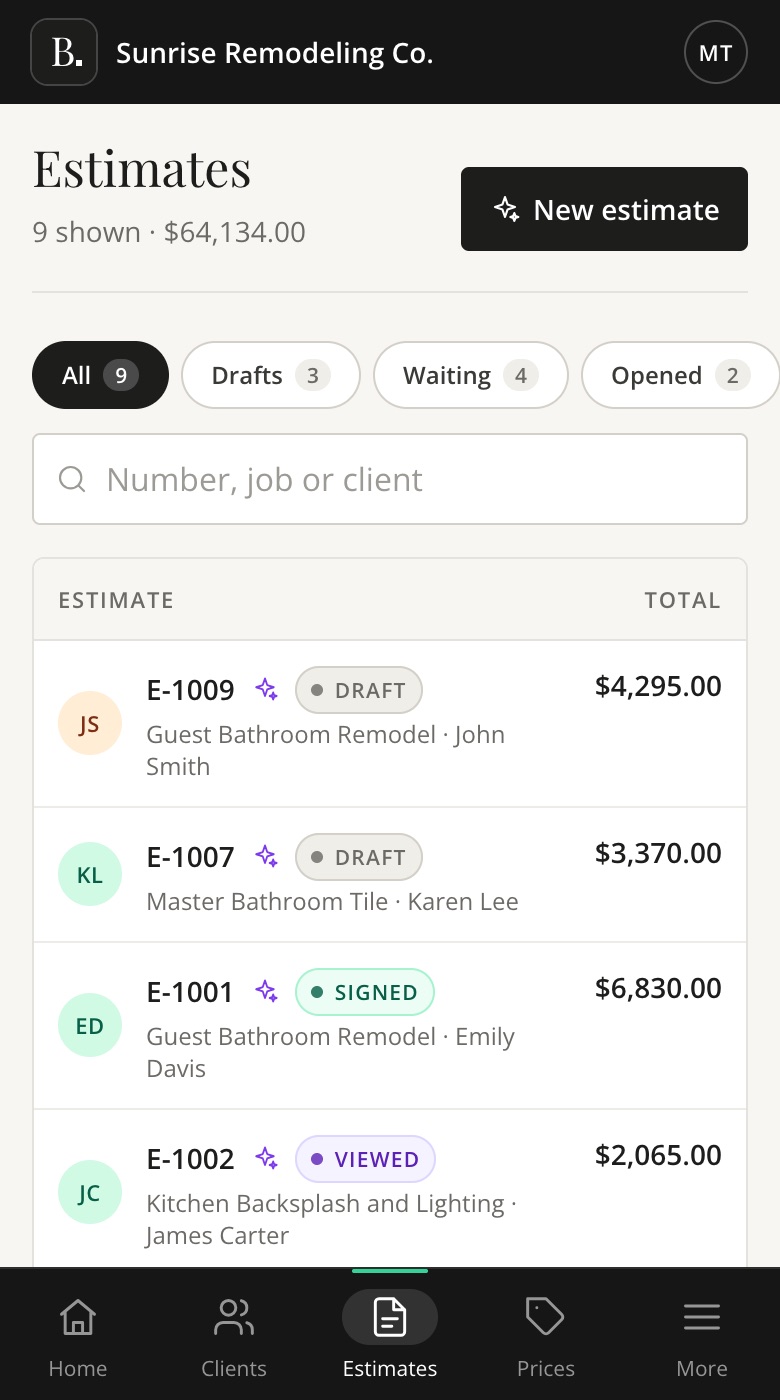
The estimates list on a phone, with drafts, signed and viewed estimates.
Estimates
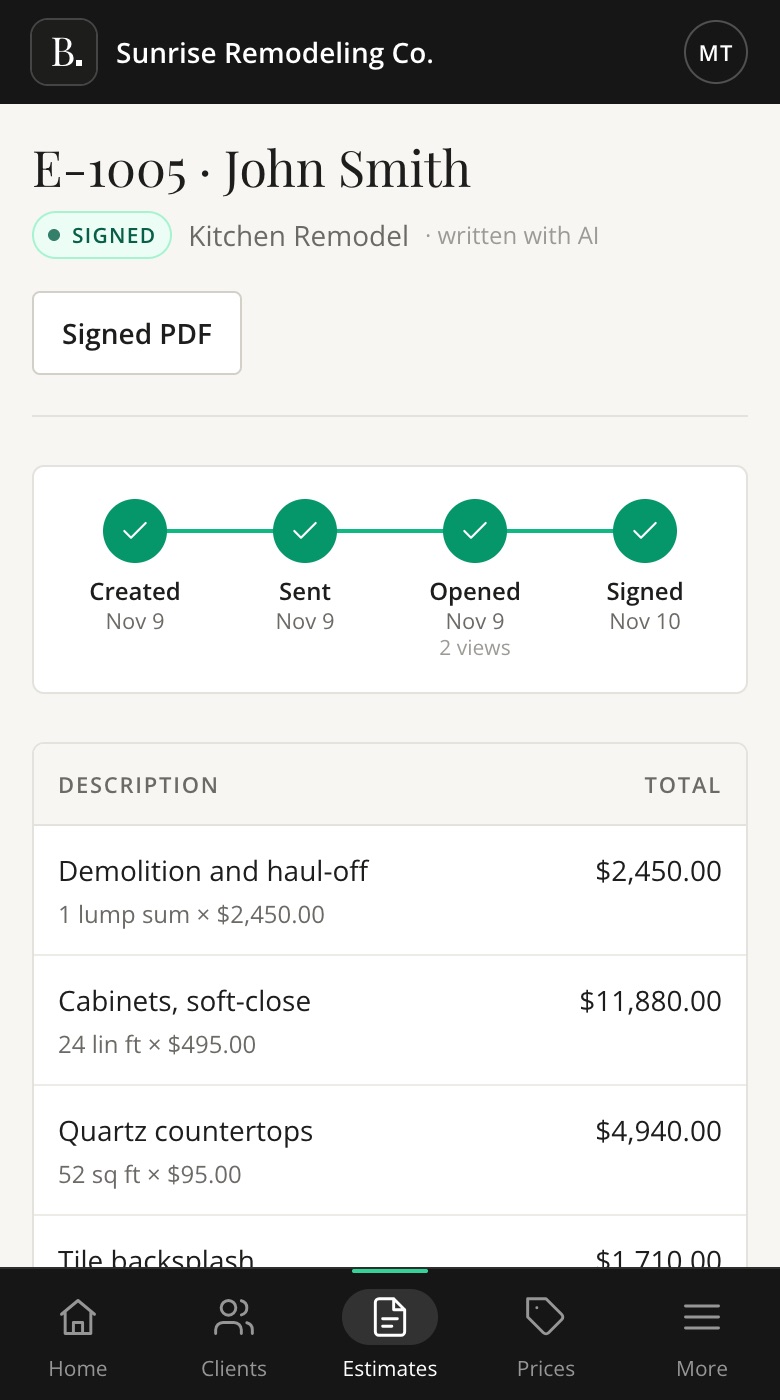
A signed kitchen remodel estimate for John Smith on a phone, showing it was created, sent, opened and signed.
A signed estimate

Also included

A few more things

Your team

Pro includes 2 users and Team includes 6, the owner included. Invite your office or sales people.

Clients in one place

Contact details, job addresses, photos and every estimate for each client.

Start from a past estimate

Copy the scope, lines and terms of a past job, then change what is different.

Safe and private

Encrypted connections, each company’s data kept separate, and backups every night.

Two-step sign-in

Account owners protect their account with a code from an authenticator app.

Help when you need it

Short guides inside the app, and real people at hello@getbidzo.com.

See it with your own jobs

Try Bidzo free for 15 days. Then plans start at $19 a month.